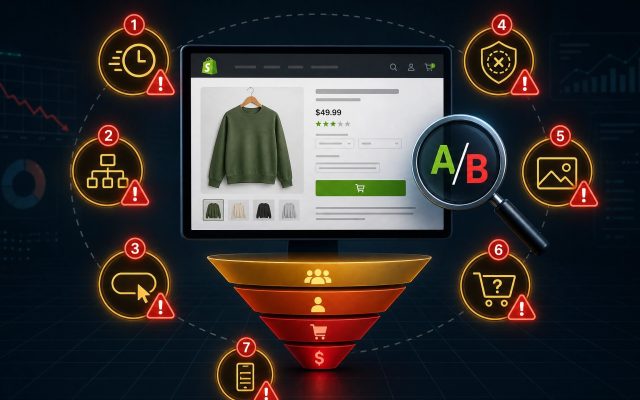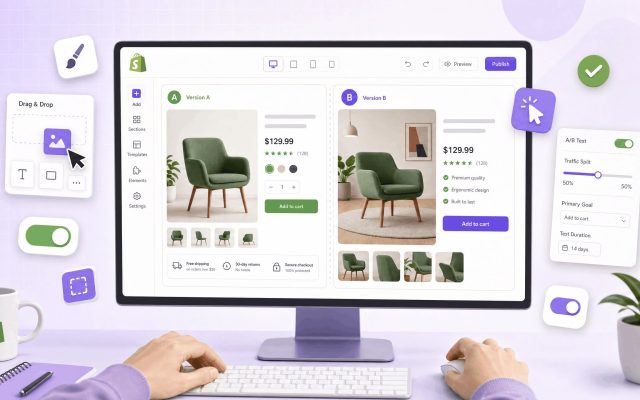
Ending a split test too early is the most expensive mistake in Shopify conversion rate optimization. Call a “winner” after three days and you’ll roll out a change that costs you revenue for the next twelve months. So before you launch your next experiment, you need a clear answer to one question: how long should you actually run an A/B test on Shopify?
The short answer: most Shopify stores need two to six weeks per test, with the exact duration depending on your traffic and conversion rate. The long answer — and the one that will actually save your store from bad decisions — is below.
Why A/B Test Duration Matters More Than You Think
An A/B test is essentially a coin-flip experiment. Even with no real difference between variants, random chance will produce streaks where one version looks like a clear winner. Run the test long enough and that noise averages out. End it too early and you mistake noise for signal.
This is why duration isn’t a guideline — it’s a statistical requirement. Three things make a test result trustworthy:
- Statistical significance (95%) — the probability your result isn’t random
- Statistical power (80%) — the probability you’d detect a real effect if one exists
- Adequate sample size — enough visitors per variant to satisfy the math behind both
Duration is just the time it takes your traffic to deliver that sample size. Skip the math, and you’re guessing.
The Three Factors That Set Your Test Duration
1. Traffic Volume
Traffic is the biggest lever. A store doing 100,000 monthly visitors can often wrap a test in 7–14 days. A store doing 8,000 visitors a month is looking at 6+ weeks for the same level of confidence. There’s no shortcut here — statistics doesn’t care how impatient you are.
2. Baseline Conversion Rate
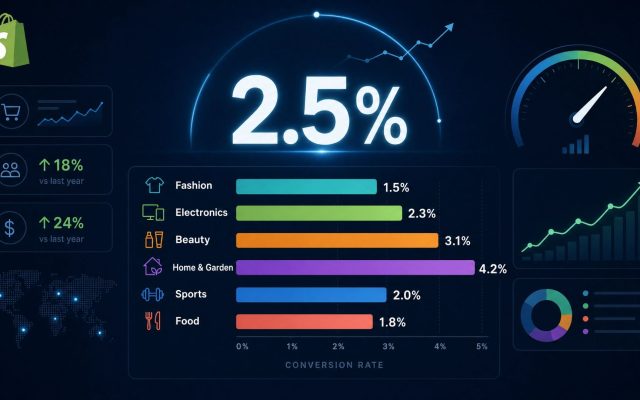
Counterintuitively, lower conversion rates need more traffic, not less. A 1% conversion rate produces fewer “events” per visitor than a 4% rate, so it takes longer to accumulate enough conversions to be confident in the result.
3. Minimum Detectable Effect (MDE)
MDE is the smallest improvement you want your test to be able to spot. A 5% lift is much harder to detect than a 25% lift — it requires far more data. Choose your MDE before you launch:
- Small stores: aim for a 20–30% MDE (only test bold changes)
- Mid-size stores: 10–20% MDE
- High-traffic stores: 5–10% MDE (you can detect subtler wins)
Shopify A/B Test Duration Table (By Traffic)
Use this table as a starting point. It assumes you’re splitting traffic 50/50 between control and variant, targeting 95% significance and 80% power.
| Monthly Visitors | Baseline CR | Recommended Duration | Realistic MDE |
|---|---|---|---|
| 5,000 – 10,000 | 1–2% | 6–8 weeks | 25–30% |
| 10,000 – 25,000 | 2–3% | 4–6 weeks | 15–20% |
| 25,000 – 50,000 | 2–3% | 3–4 weeks | 10–15% |
| 50,000 – 100,000 | 3–4% | 2–3 weeks | 10% |
| 100,000+ | 3–5% | 1–2 weeks | 5–10% |
How to Calculate Your Exact Test Duration
For a precise number tailored to your store, follow this process:
- Pull your data. In Shopify Analytics, grab your last 30 days of sessions and your baseline conversion rate for the page you’re testing.
- Set your MDE. Pick the smallest lift that would justify rolling out the change permanently.
- Run a sample size calculator. Free tools like Evan Miller’s, VWO’s, or Optimizely’s calculator will return the visitors-per-variant you need.
- Convert to days. Divide the total required sample by your average daily traffic to the test page.
- Add a 20% buffer. Traffic dips, day-of-week effects, and bot traffic all eat into your effective sample.
- Round up to full weeks. This is non-negotiable — see the next section.
The Full-Week Rule (And Why You Can’t Skip It)
Customer behavior on a Shopify store is not uniform across the week. Saturday browsers convert differently than Tuesday lunchtime visitors. Mobile traffic spikes in the evenings. Paid-traffic days look different from organic-heavy days.
If you run a test for 10 days, you’ve weighted two of the seven weekdays double. Always run tests in full 7-day increments — 14 days, 21 days, 28 days — so every day of the week is represented equally in both variants.
Common Mistakes That Ruin Shopify A/B Tests
Stopping early because you “see a winner”
Peeking at results mid-test and stopping when you like what you see is called “p-hacking,” and it produces false positives at alarming rates. Set your duration before you launch and stick to it.
Testing during seasonal anomalies
Black Friday, Boxing Day, BFCM, Prime Day equivalents, and major product launches all distort customer behavior. A test that runs through a sale tells you what works during a sale — not what works year-round.
Running multiple tests on the same page
Overlapping tests on the same template contaminate each other’s results. Queue them sequentially or use a proper multivariate testing setup.
Ignoring sample size math entirely
“We’ll run it for two weeks and see” is not a methodology. Without a pre-calculated sample size, you have no way of knowing whether the result you’re looking at is meaningful or random.
Special Cases: When the Standard Rules Don’t Apply
Low-traffic stores (under 5,000 monthly visitors)
Honestly? Traditional A/B testing isn’t your best tool. You’ll spend months on a single test. Focus on qualitative research — session recordings, customer surveys, exit-intent feedback — and make bigger, more obvious changes based on that evidence.
High-AOV stores with few orders
If you sell $2,000 furniture and get 40 orders a month, you have a sample size problem even at high traffic. Switch your primary metric from conversion rate to add-to-cart or checkout-started, then validate the final revenue impact post-rollout.
Subscription and recurring revenue tests
A change to a subscription flow can take 60–90 days to show its real impact through retention and LTV. Plan accordingly.
The Pre-Launch Checklist
Before you click “start” on any Shopify split test:
- ✅ Sample size calculated and duration set in advance
- ✅ Duration rounded up to full weeks
- ✅ No major sale or seasonal event falls inside the test window
- ✅ One clearly defined primary metric (don’t test 12 things at once)
- ✅ Hypothesis written down (“If we change X, then Y will improve because Z”)
- ✅ Tracking verified on both variants before launch
- ✅ Stakeholders aligned on duration so no one pressures you to “call it early”
Frequently Asked Questions
Can I run a Shopify A/B test for less than a week?
No. Even with massive traffic, you need a full 7-day cycle to capture weekday/weekend behavior differences. The minimum responsible duration is one full week, regardless of how fast you hit statistical significance.
What’s the maximum length for an A/B test?
Six weeks is a soft ceiling. Beyond that, external factors — algorithm changes, seasonality, competitor actions, browser updates — start to contaminate your data. If you can’t reach significance in six weeks, your MDE is probably too aggressive for your traffic level.
Do I need a Shopify Plus plan to A/B test?
No. Tools like Intelligems, Visually.io, Convert, and VWO work on standard Shopify plans. Shopify Plus does give you cleaner access to checkout testing, which standard plans restrict.
How do I know if my test reached statistical significance?
Most A/B testing apps will display a confidence percentage. You want 95% or higher on your primary metric, with your pre-planned sample size fully collected. Hitting 95% halfway through your planned duration is not the same thing as a real win — see “peeking” above.
The Bottom Line
The right duration for a Shopify A/B test is whatever your sample size calculator tells you, rounded up to the nearest full week, with a 20% buffer added on top. For most stores, that lands between two and six weeks.
Treat the duration as a commitment you make before launching, not a decision you revisit when results start trickling in. That single discipline — locking duration in advance — separates stores that compound real wins from stores that ship random changes and wonder why their conversion rate never moves.